 Mareshift
Support
Common questions about Mareshift. Didn’t find an answer? Email us — we read every message.
Does the app need an internet connection?
No. Everything works offline — you can play in airplane mode.
No. Everything works offline — you can play in airplane mode.
Where is my progress saved?
On your device only. It is not uploaded anywhere.
On your device only. It is not uploaded anywhere.
Will I lose progress if I reinstall?
Yes. Uninstalling removes all local data, because nothing is stored on servers.
Yes. Uninstalling removes all local data, because nothing is stored on servers.
How do I play Mareshift?
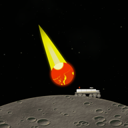
Tap Launch on the home screen and the run starts right away. Drag your finger left or right to drive the rover, or switch to Tap sides in Settings and hold the left or right half of the screen. Only the glowing meteor core hits; the yellow tail is harmless. One touch of a core ends the run.
Tap Launch on the home screen and the run starts right away. Drag your finger left or right to drive the rover, or switch to Tap sides in Settings and hold the left or right half of the screen. Only the glowing meteor core hits; the yellow tail is harmless. One touch of a core ends the run.
Why do the meteors get faster?
The rain never stops. The longer you survive, the faster the meteors fall and the more often they come, so a calm opening turns into a dense storm after about a minute.
The rain never stops. The longer you survive, the faster the meteors fall and the more often they come, so a calm opening turns into a dense storm after about a minute.
How do milestones work?
There are 8 milestones: survive 10, 30, 60, 90 and 120 seconds in a single run, spend 5 and 15 minutes in total on the mare, and complete 25 runs. The Milestones screen shows your progress toward each one.
There are 8 milestones: survive 10, 30, 60, 90 and 120 seconds in a single run, spend 5 and 15 minutes in total on the mare, and complete 25 runs. The Milestones screen shows your progress toward each one.
Can I pause a run?
Yes. Tap the pause button in the top corner. The game also pauses itself when you leave the app.
Yes. Tap the pause button in the top corner. The game also pauses itself when you leave the app.
How do I reset my progress?
Open Settings, tap Reset progress and type RESET to confirm. This erases your runs, best time and milestones. Your control and haptics settings are kept.
Open Settings, tap Reset progress and type RESET to confirm. This erases your runs, best time and milestones. Your control and haptics settings are kept.